What a retrospective is for
A retrospective is a meeting where a team stops to look at how it works, not just what it built. The idea is older than most agile teams: Norman Kerth's 2001 book Project Retrospectives described them as long sessions at the end of a project. That same year, the Agile Manifesto's principles made it a habit, asking that a team regularly “reflects on how to become more effective” and then adjusts.
Scrum made it part of every sprint. The Scrum Guide has the team inspect its people, processes and tools, then choose the changes that would help most, within three hours at most for a one-month sprint.
That last step is the point. A retro is only worth its time if something changes afterwards.
Where retros go wrong
Teams rarely struggle to find things to say. The trouble usually starts after the meeting ends.
- The actions disappear. They go into a wiki page or a slide, away from the daily work, and nobody opens it until the next retro, if then.
- Nobody checks. The next retro starts fresh, so unfinished actions quietly drop off the list.
- The same problem returns. It comes back with new wording, and without the history it feels like a new discussion.
- The loudest voices win. When people speak one at a time, a few of them fill the meeting and the quiet ones never get to their point.
- People stop caring. As Retromat points out, when little gets done, teams lose interest in taking part at all.
One retro, played out in Shiko
The Checkout team below is made up for this page, but every screenshot is a real Shiko map we built by following these steps.
They start from the template
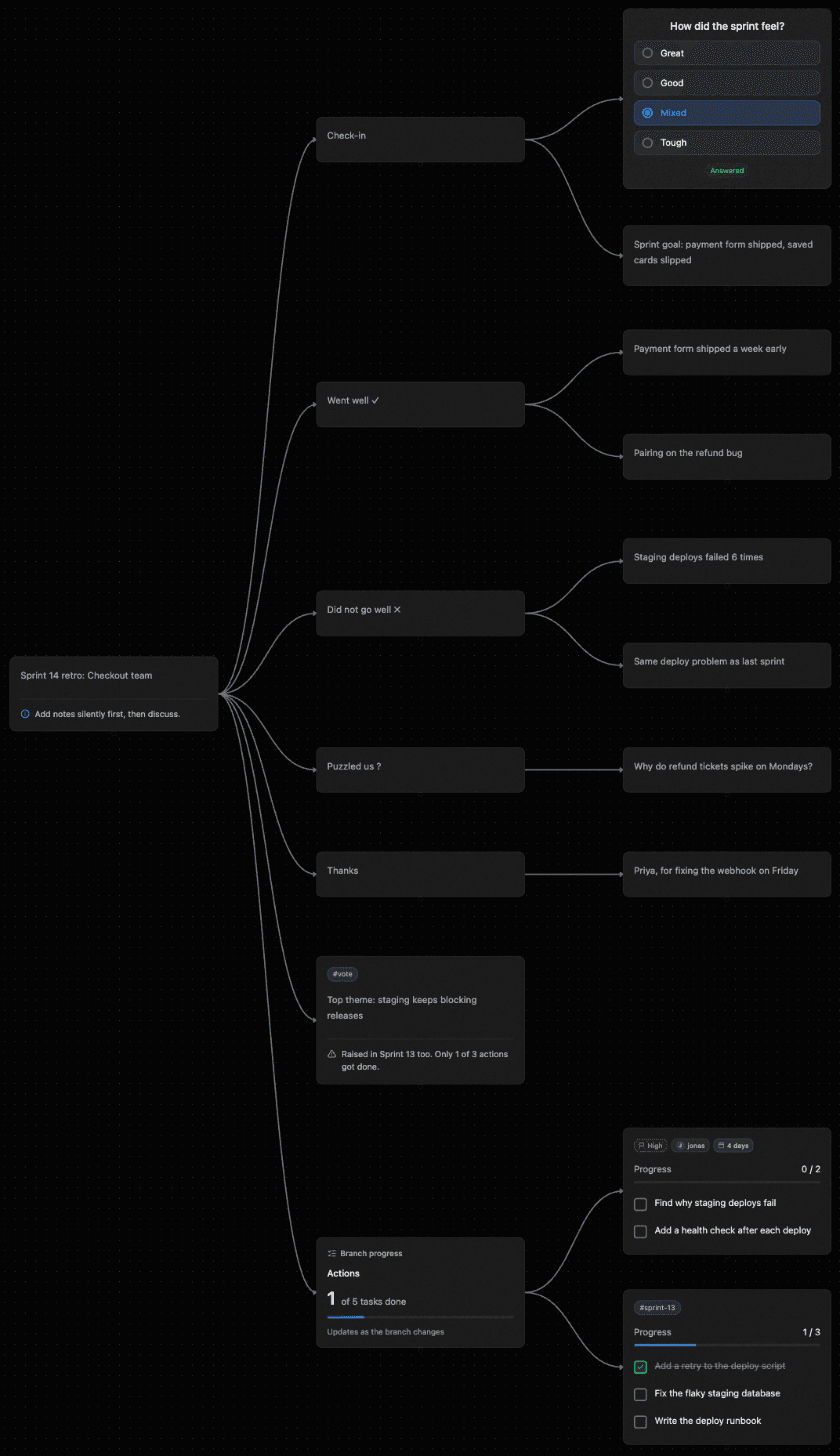
For Sprint 14, the team creates a map from the Retrospective template. It comes with a check-in, Went well, Did not go well, Puzzled us, Thanks, Themes and Actions. It also has a task list asking: did we do what we said we would?
Everyone writes at once
They answer the check-in question, then add notes at the same time before anyone discusses them. Two notes land under Did not go well: “Staging deploys failed 6 times” and “Same deploy problem as last sprint”.
 Shiko
Last sprint's promises are already there
This is where a retro usually loses the thread. Here, last sprint's actions are on the same map, with their ticks. One of three got done: they added a retry to the deploy script, but never fixed the flaky database or wrote the runbook.
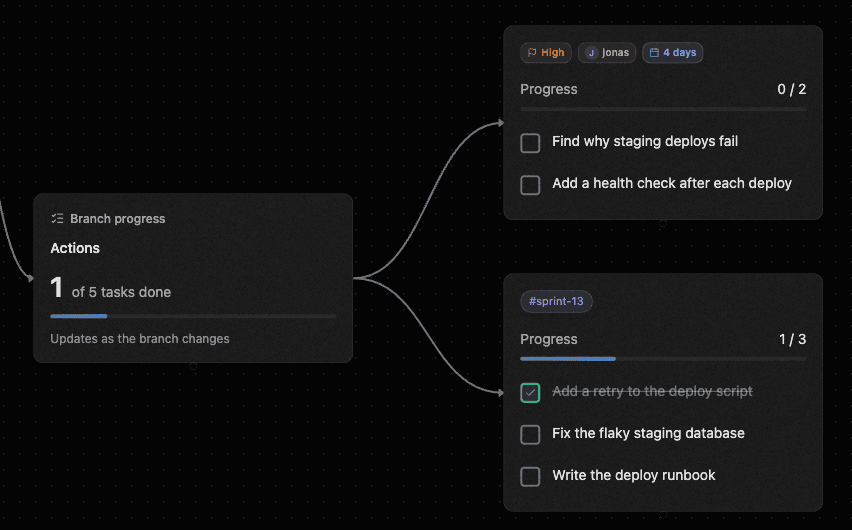
Nobody had to prepare a status report. The team can see that the deploy problem came back because the fix for it never happened.
They name the real problem
The team writes it down as the top theme, with a warning note saying why it matters. To confirm it, someone posts a question in a comment and people react with a thumbs up.
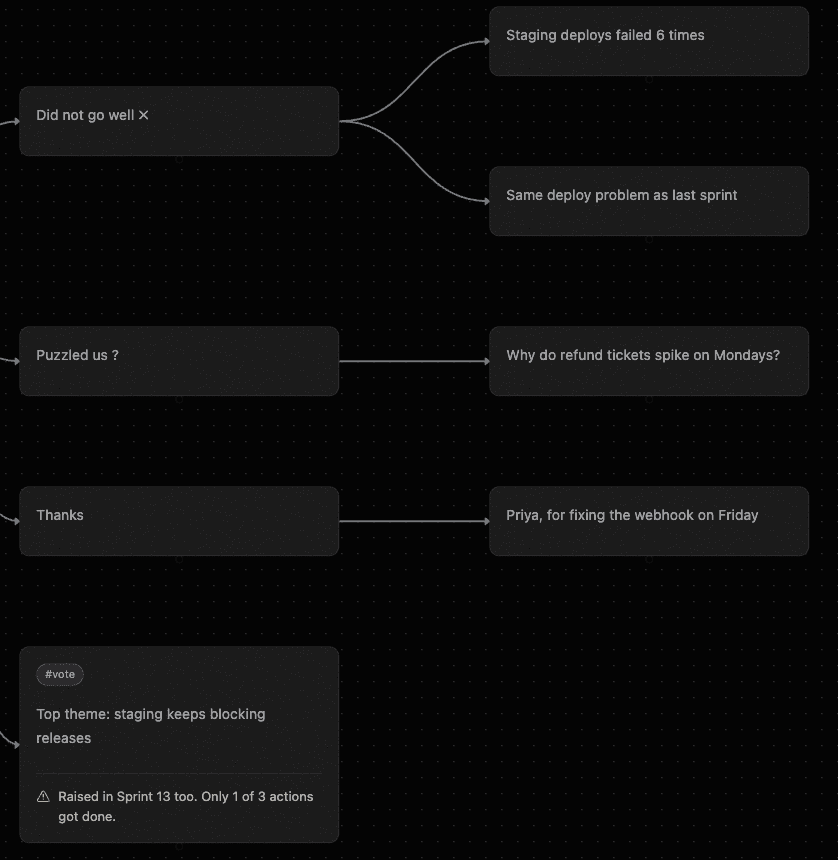
The new action gets an owner while they're still talking
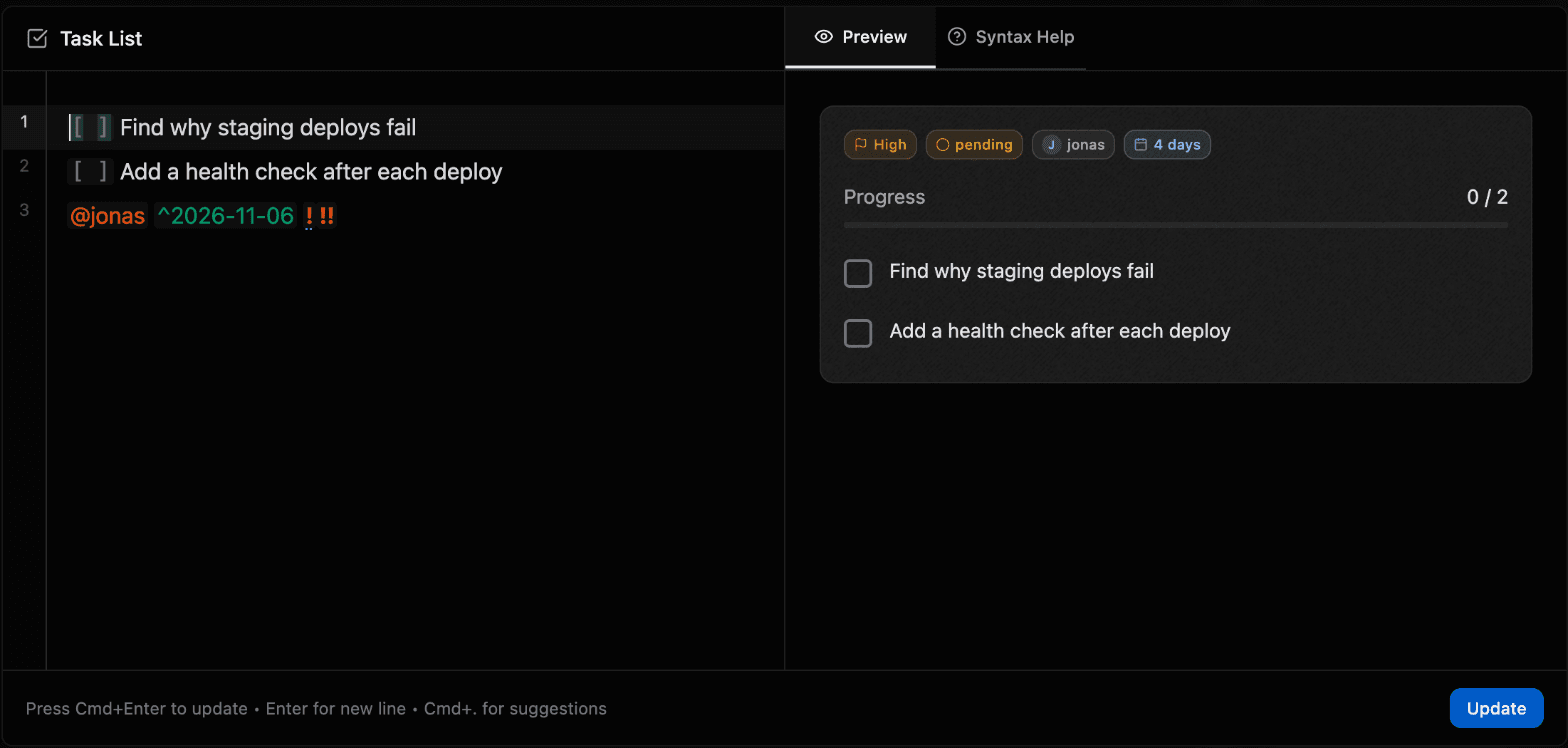
Jonas takes it. The owner, date and priority take one line of plain text: @jonas sets the owner, ^2026-11-06 the due date and !high the priority. The preview picks them up as you type.
The map they leave with
When the meeting ends, there's nothing to write up. The whole conversation is on one map, from how the sprint felt to who is doing what by when. At Sprint 15, they open it and tick what got done, and the count tells them how it went before anyone speaks.
How Shiko handles each problem
A retro board usually ends when the meeting does, and the work moves somewhere else. In Shiko, the discussion and the follow-up are the same map, so one can't lose track of the other.
- Actions end up in a document nobody reopens
- They stay on the map, on the same canvas as the notes that led to them. Opening the retro means opening the actions.
- Nobody can say what happened to last sprint’s list
- Last sprint’s tasks sit on the map with their ticks, and Branch progress counts them for you. There’s no status to chase.
- The same problem keeps coming back
- This sprint’s complaint and last sprint’s unfinished fix are on screen together, so the team sees it as one problem.
- The loudest people set the agenda
- Everyone writes at the same time, so nobody has to wait for a turn or speak over someone else.
- Actions have no owner or date
- You type them as you write the task: @jonas for the owner and ^2026-11-06 for the date. The node then shows the owner and the days left.
A 45-minute agenda to copy
- 5 minutes, look back. Open last sprint's actions first. Ask why the unfinished ones didn't happen before adding anything new.
- 10 minutes, write. Everyone adds notes at once, with no discussion yet.
- 10 minutes, find the theme. Read the notes aloud and look for what keeps coming up, especially anything from last time.
- 10 minutes, pick one to three. More than that rarely gets done. Drop the rest without guilt.
- 10 minutes, assign. Write each action as a task node, with an owner and a due date before the next retro.
Other retro formats
The template's branches are only a starting point. To try a different format, rename them.
- Start, Stop, Continue. A good default when the team wants clear changes.
- Mad, Sad, Glad. Useful after a hard sprint, when how people feel matters as much as what happened.
- Liked, Learned, Lacked, Longed for. Good for the end of a project, when you want lessons as well as fixes.
Questions
Is there a retrospective template?
Yes. When you create a map, pick Retrospective. It starts with a check-in, what went well, what did not, what puzzled you, thanks, themes and actions.
Is Shiko free for retros?
Yes, for a small team. A Free map takes up to 3 collaborators and 50 nodes. Pro is $12 a month for the map's owner and removes those limits.
Can each task on a list have its own owner?
The owner, date and priority belong to the whole task node, not to each row. Give each owner their own task node, which also makes it clear who holds what.
Can retro notes be anonymous?
No. Every cursor carries a name, so Shiko suits teams who are comfortable speaking openly.
Can the team vote on themes?
Shiko has no vote counting across options. To settle a single question, post it in a comment and let people react: the count shows beside the reaction. Your video call’s poll works well for choosing between several themes.